CHATDROP
Billie van Oosterom
What is it about
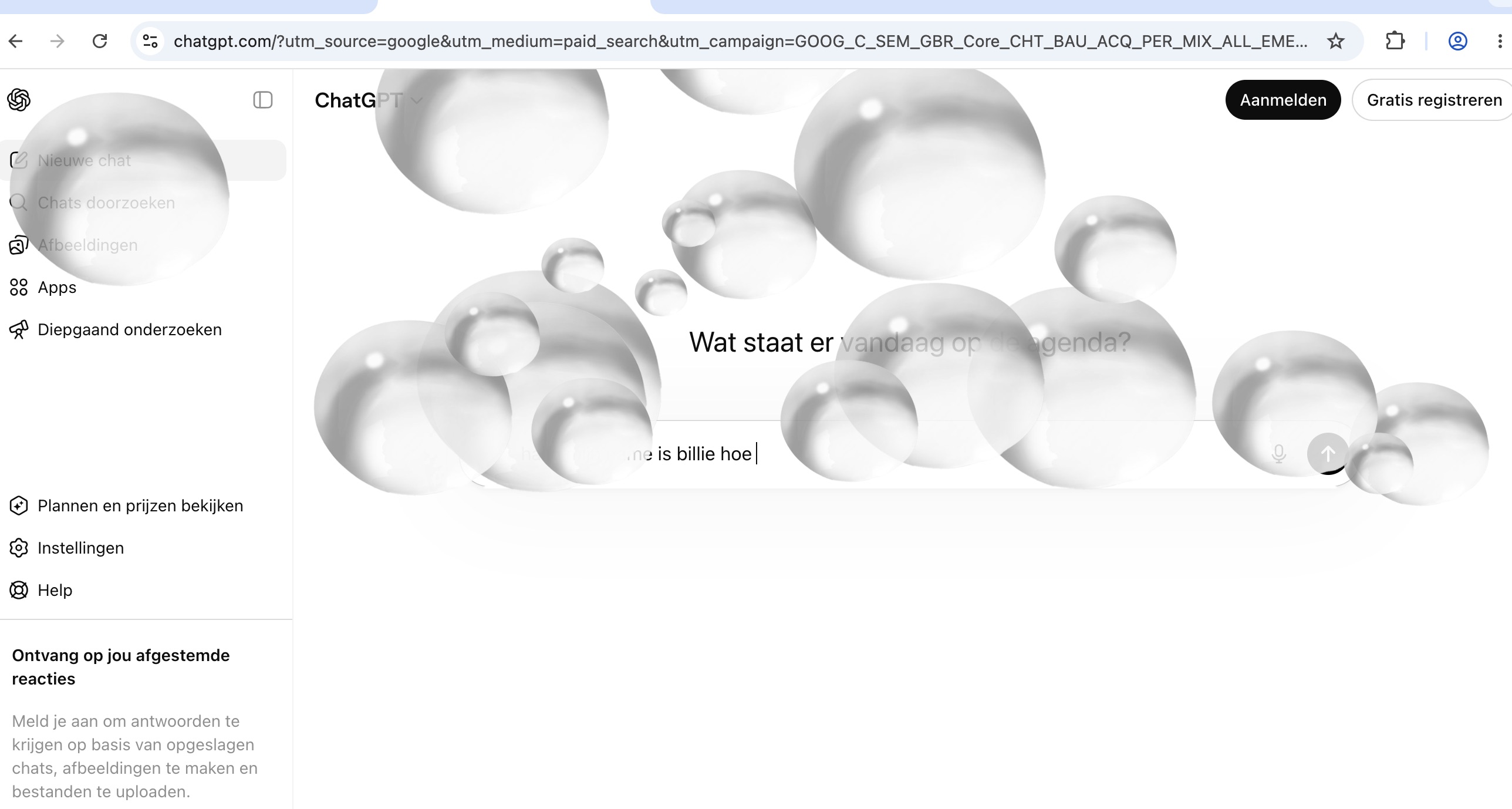
CHATDROP visualises the hidden environmental cost of using AI. Every prompt creates water droplets that slowly fill up the ChatGPT interface, showing how resource consumption builds over time. After repeated use, the screen becomes blurred, making the environmental impact of AI visible to the user.


"Visually nice way to get people of chatgpt, or at least minimising the use and extent to which we feed it. No longer used chatgpt since this extension! " ⭐⭐⭐
jippiequeen720
"I like that the drops only appear when you actually send something, so it's not just random or timed. Makes you aware and makes you think twice before writing many messages. Cool!" ⭐⭐
user 232908130
⭐ Great extension, i like the fact that youre not able to use the website anymore after a certain amount of water enters the screen. I do think the water physics and graphics could use some refining. ⭐
harrypotterfsn320
Installation guide
- download the ZIP file from this page.
- unzip, and open chrome. go to chrome://extensions
- Enable “Developer mode” in the top right corner.
- Click “Load unpacked” and Select the extension folder.
- Open ChatGPT to activate the extension.
- type prompts and hit enter to activate