Remember Colectiv.
Mara Serban
What is it about
This extension is about remembering the tragedy that happened at Colectiv in 2015, in Bucharest, Romania. A deadly fire broke out at the Colectiv nightclub in Bucharest during a concert, killing 65 people and injuring over 180, exposing severe corruption and negligence in Romania's public safety regulations. This extension focuses mainly on showcasing the guilty part that Cristian Piedone had during the incident, him being the mayor of the sector in which the club was in at the time and also the person who gave permissions for the club to run. Today, Cristian Piedone is the president of the Consumer Protection Agency in Romania and posts videos in which he investigates what he finds in restaurants, trying to rebuild his image in the eyes of the public, but his humorous style comes off as forced and bizarre. While scrolling through his public social media accounts that are full of videos targeted for people to have sympathy again for him, the extension aims to remind the viewer of the many lives that were lost during the fire at Colectiv and how corruption kills and justice was never fully served.
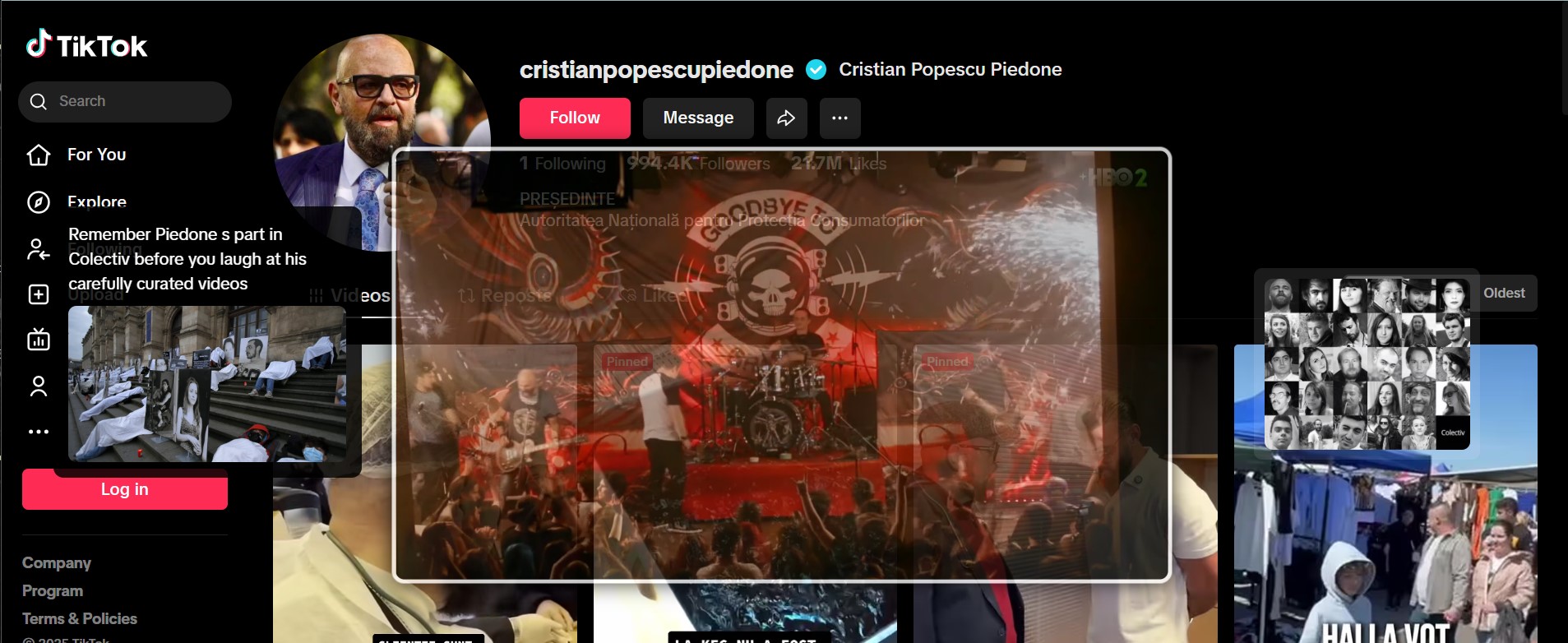
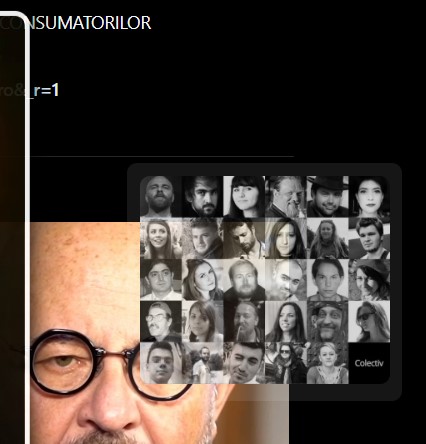
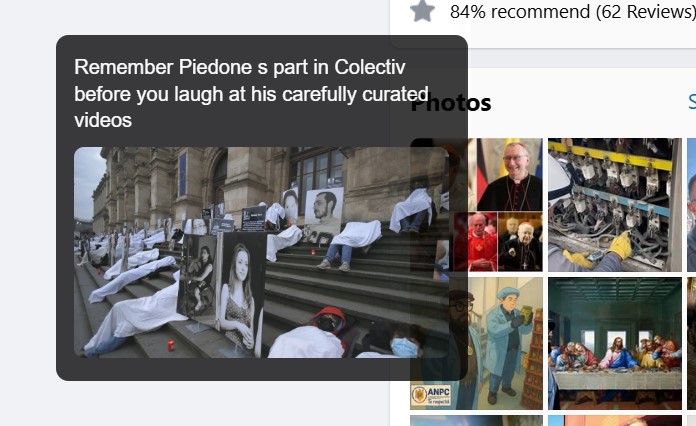
This extension is pushing people to remember something horrible that happened. perfect way to do something concrete.⭐⭐⭐⭐
Anonymous
Very well designed extension with a clear message. Advice all to download! ⭐⭐⭐⭐⭐
Anonymous
⭐ I really like how the extension shows an important topic instead of only being playfull and funny. I like how the window pops out every time you click - i find it very important for the overall narrative. ⭐
Anonymous
Installation guide
- Click 'download' to install the extension ZIP file. Save it to a location you can easily access (e.g., Desktop or Downloads folder).
- Locate the downloaded ZIP file. Right-click the ZIP file and select Extract All (Windows) or Extract (Mac). A new folder with the extension files will be created.
- Open a new tab in Chrome. Type chrome://extensions in the address bar and press Enter. Ensure that the Developer mode toggle (top right corner) is turned ON.
- Click the Load unpacked button. Navigate to the folder where you extracted the extension files. Select the folder and click Open.
- You will see the extension appear in the extensions list. Ensure that the extension is enabled (toggle switch is blue).
- Visit Visit this TikTok (https://www.tiktok.com/@cristianpopescupiedone), Instagram (https://www.instagram.com/cristian.popescu.piedone/), or Facebook page (https://www.facebook.com/Popescu.Piedone/) Observe how the extension modifies the page content as intended.