Wikipedia Manuscript
Welcome to the Wikipedia Manuscript web extension
Extension
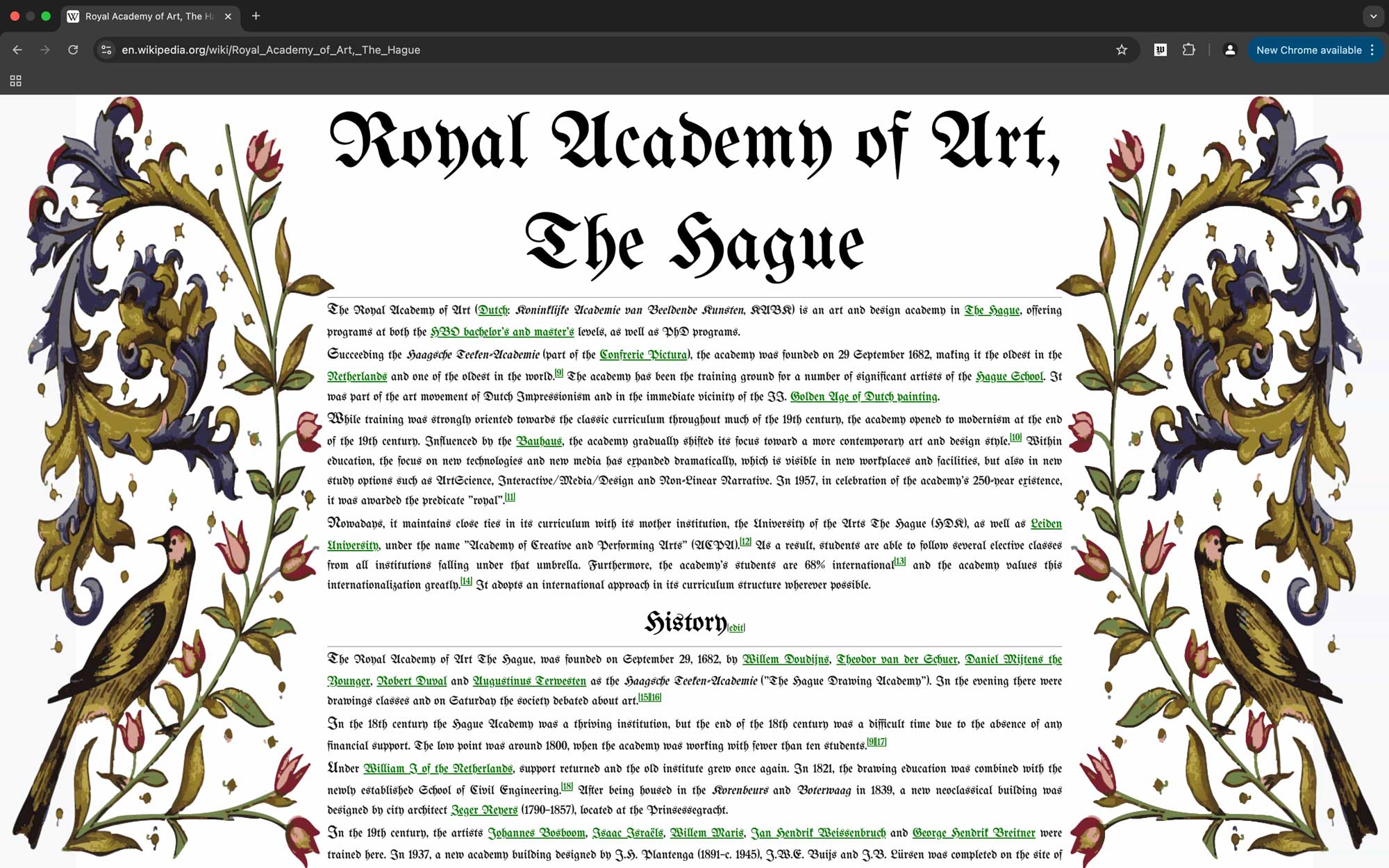
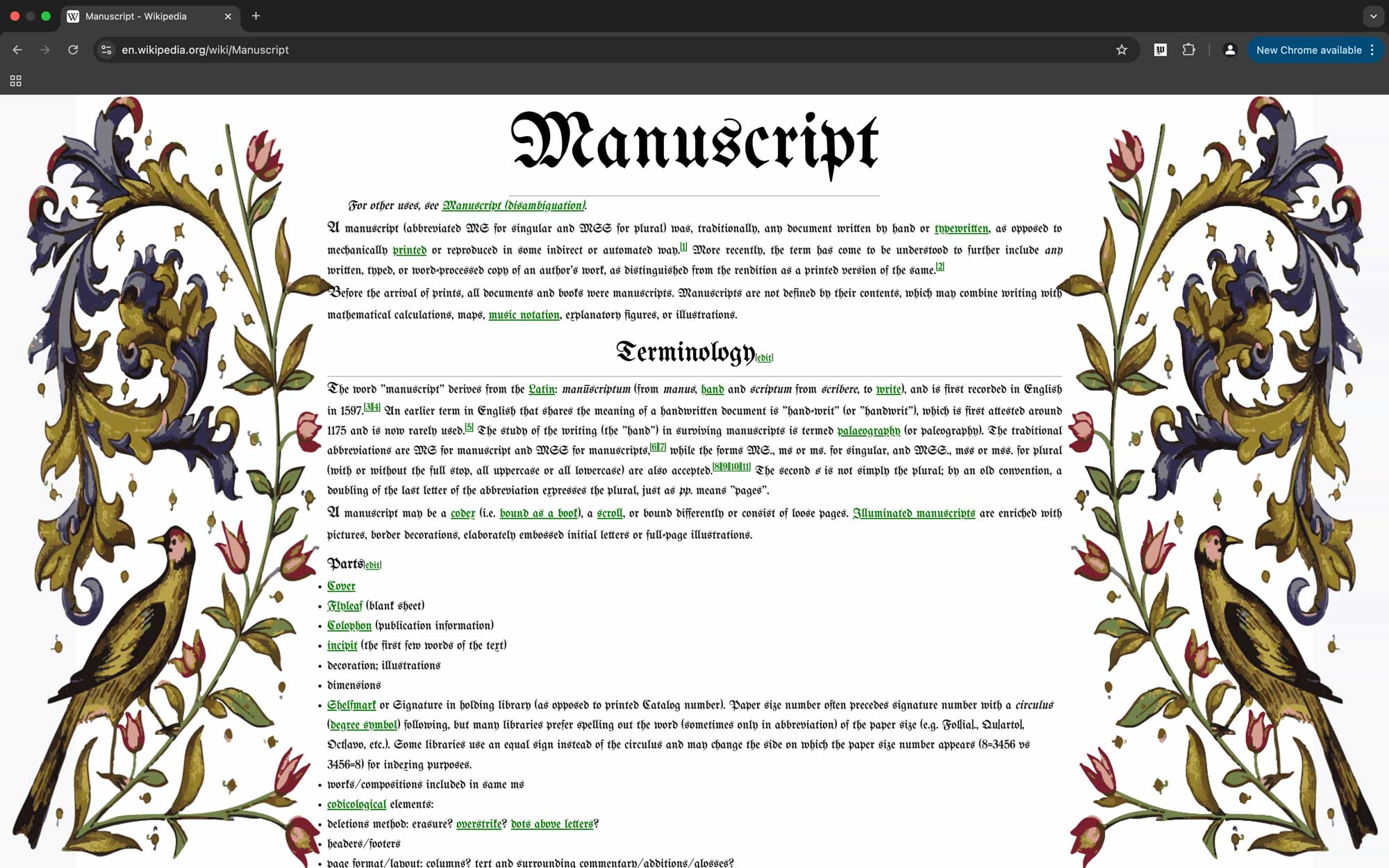
This extension allows you to view Wikipedia articles in a medieval manuscript style. It is designed to enhance your reading experience by providing a unique and visually appealing format. The extension is easy to install and use, and it works seamlessly with your existing Wikipedia browsing experience. The extension is compatible with most modern web browsers, including Chrome, Firefox, and Edge. To install the extension, simply download the zip file from the link below and follow the instructions provided. Once installed, you can activate the extension by clicking on the extension icon in your browser's toolbar. The extension will automatically apply the medieval manuscript style to any Wikipedia article you visit.
How to Download
1. Click on Window, and Extensions.
2. Activate the developer mode (toggle switch on the top right of the window)
3. Click on the Load unpacked button
4. Locate and select the folder of the extension (my-extension-project).
Download
Click the button below to start the process.
Download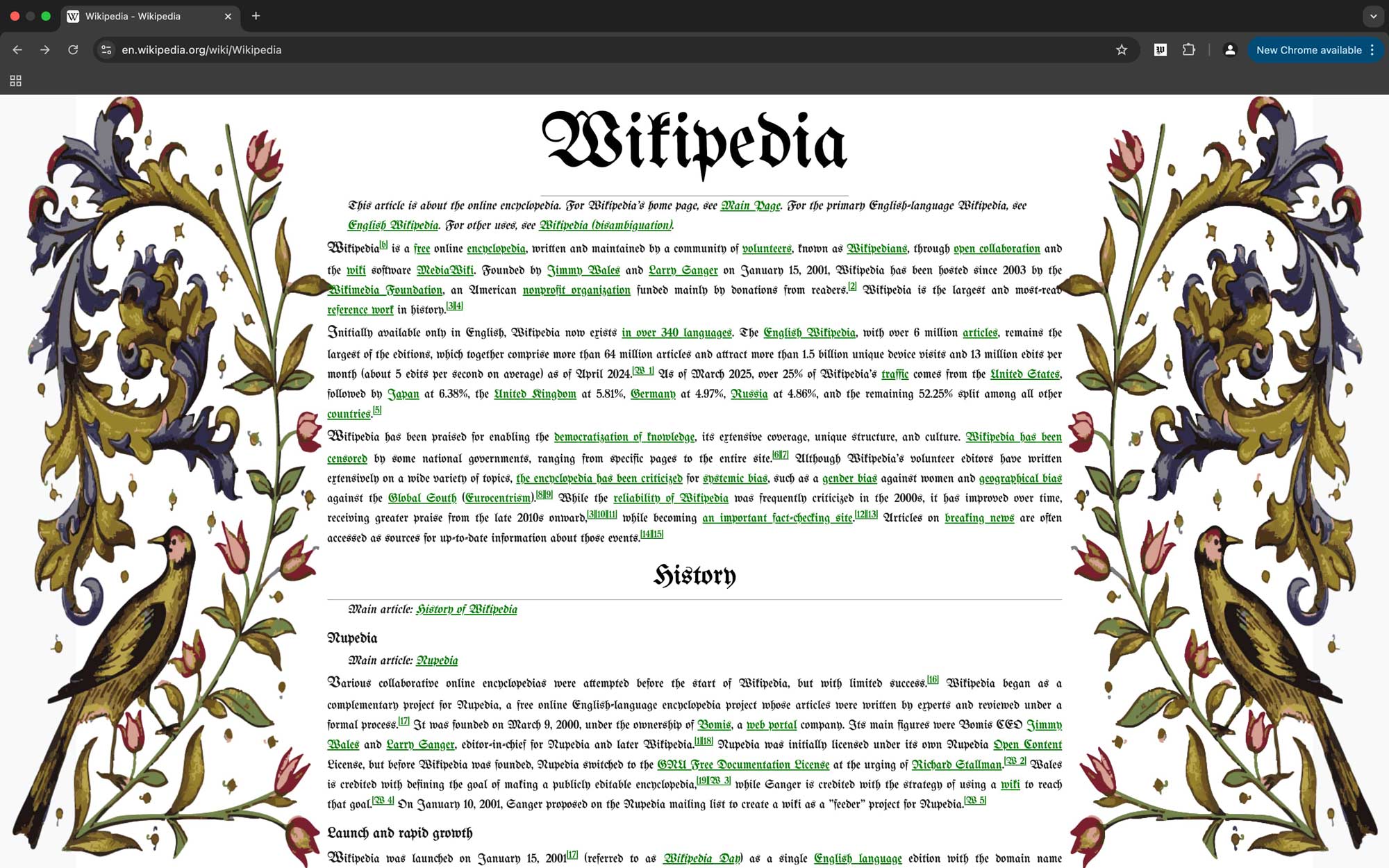
Public Reviews
"This is actually something I have been needing all my life but I never knew I did. I really do get into my medieval mood and I like to put my tavern music on and this is the perfect way to study the blade on medieval scroll wiki."
Xxx_Bladeslayer420_xxX
"Feel like I'm a medieval apprentice studying with my laptop. Hard to read, but makes me do want to read. Makes me feel very sophisticated."
Puppylover1998
"Makes you feel important, that's cool."
ImportantBusinessBlokeNL